Money
Payments, dues and expenses
How bills and receipts work, collecting dues and part payments, extra charges, printing and SMS receipts, voiding mistakes, the Payments & receipts and Dues pages, and recording expenses
Who it is for:OwnerManagerFront desk
On this page
GymDesk keeps money simple: bills are what a member owes, receipts are money received. Selling a membership, an admission, a PT package or a shop sale on account makes a bill; paying makes a receipt that is set against the bills. Whatever is not paid is dues.
Who sees what: owner, manager and front desk see and collect money; trainers never see money. Only the manager and owner can void.
Bills and receipts on the member profile
The member profile has two money cards:
- Bills & dues — every bill with its number, date, amount and what is still due (red), Paid or Void.
- Receipts — every receipt with number, date and time, method (with transaction ID) and amount, and a printer button.
A receipt is set against the oldest open bills first, unless you tick particular bills when collecting.
Collecting dues
- Open the member's profile and press Collect payment (the check-in screen and the Dues page take you there too).
- All open bills are ticked. Untick any you are not collecting now.
- Amount (৳) is filled with the total of the ticked bills: "Due on the ticked bills: … A smaller amount is a part payment."
- Pick the Method: Cash, bKash, Nagad, Card or Bank. For bKash and Nagad type the Transaction ID; for card or bank an optional Reference.
- Press Receive. "Payment received · receipt (number)" appears with a Print button.
If the SMS gateway is set up and Payment receipt messages are on, the member gets an SMS with the amount, receipt no. and remaining dues.
Extra charges
For anything else a member owes — a locker, a towel, a replacement card:
- On the profile's Bills & dues card press Add charge.
- For (for example "Locker for October") and Amount (৳).
- Save. "Charge added." Collect it now or later like any other due.
Printing a receipt
Press the printer button on a receipt (on the profile or the Payments & receipts page). The Money receipt opens in a new tab with the gym's name and address, receipt no., date, member, what was paid for, method, Total paid, Dues now, who received it and your Receipt footer. Press print, or save it as a PDF and send it on WhatsApp.
Voiding a mistake
Receipts are never edited. A wrong receipt is voided and entered again. Manager and owner only:
- Void a receipt — press Void on the receipt, type a Reason and confirm. Its money is taken off the bills, so they become due again. The receipt stays in the list, struck through.
- Void a bill — an unpaid bill (wrong charge, or waived) can be voided the same way. A bill that has money against it needs its receipt voided first.
Online payments made in the member portal cannot be voided in GymDesk; refunds are made from the gateway's merchant panel. Every void is in the audit log with the reason.
Payments & receipts
Payments & receipts: "Every money receipt: memberships, admission, PT, shop and online payments."
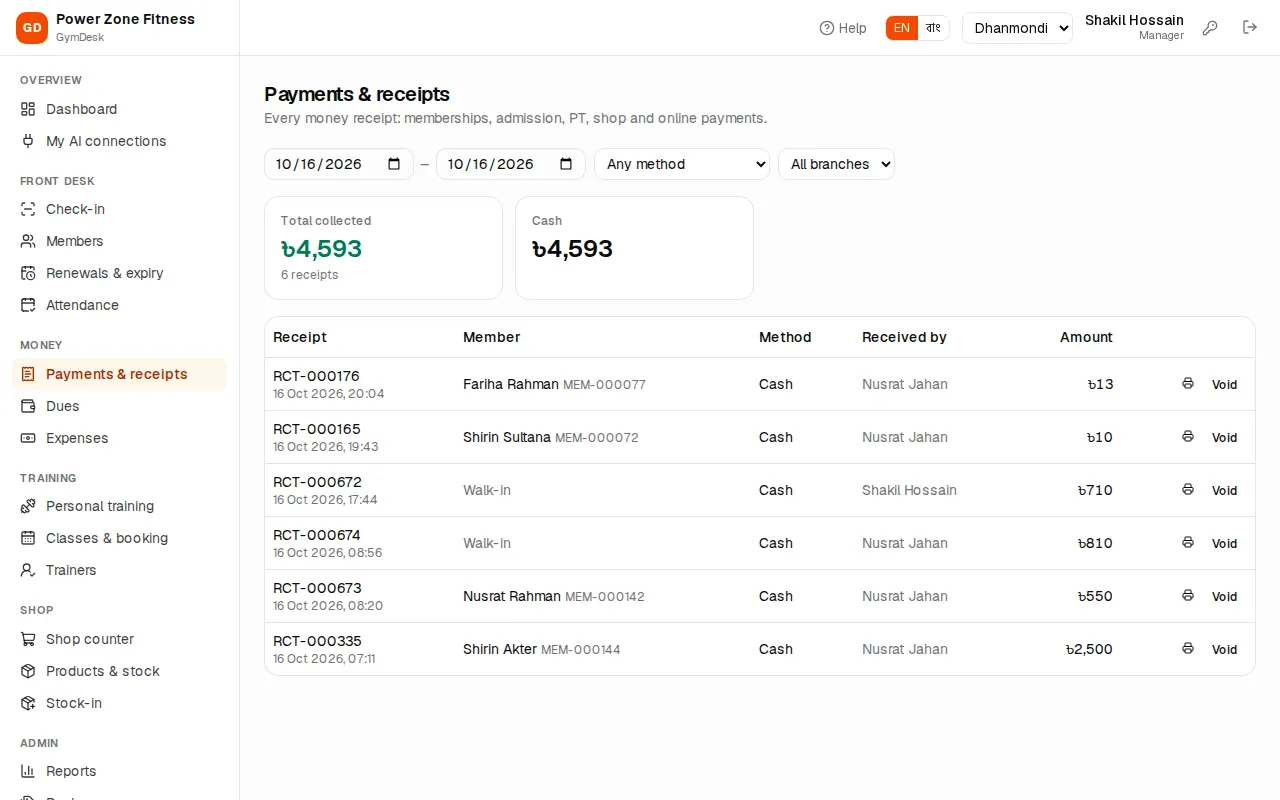
- Filter by date range, Any method (cash, bKash, Nagad, card, bank, SSLCommerz online) and branch.
- Total collected for the period, with the number of receipts.
- Each row: receipt no., member (or Walk-in for a shop customer), method (Online for portal payments), Received by, amount, print and void.
At day end, compare the cash total for today and your branch with the cash in the drawer.
Dues
Dues: "Members who owe money for memberships, admission, PT, shop or other charges."
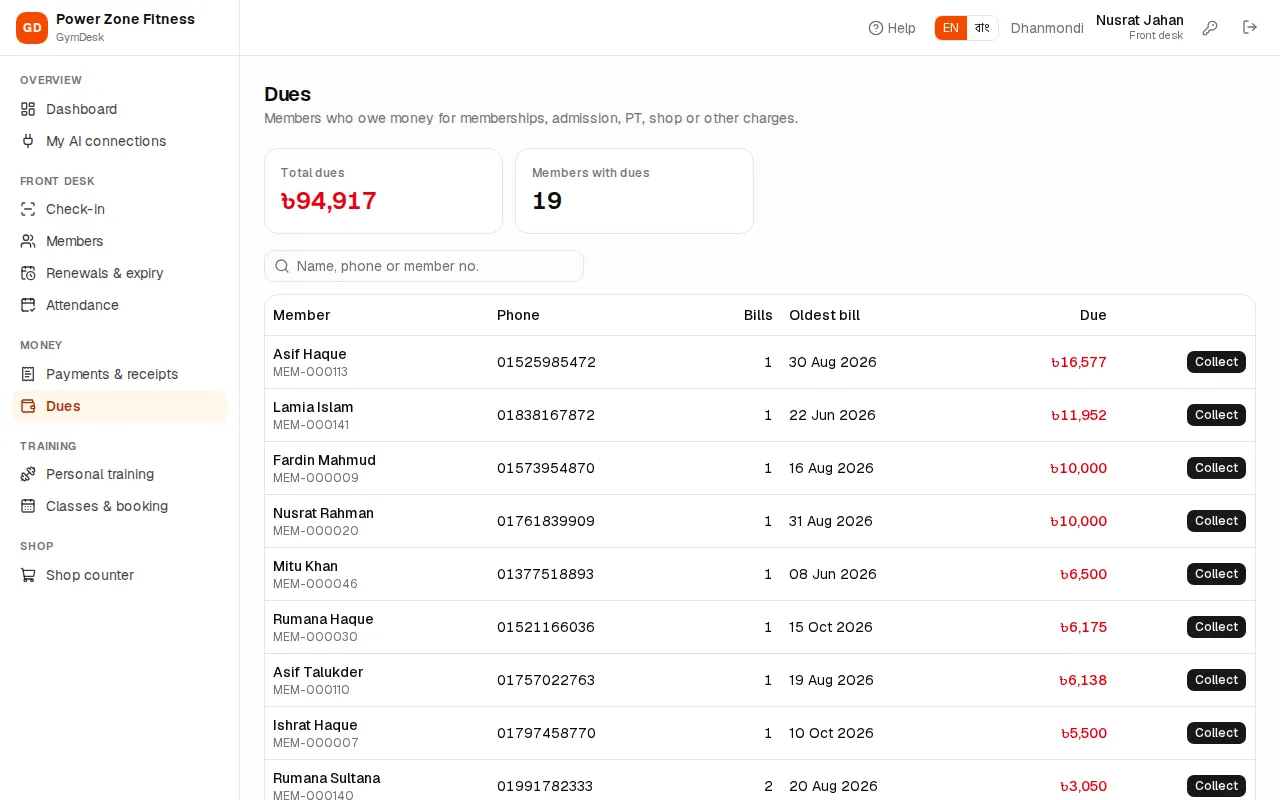
- Total dues and Members with dues at the top.
- Search by name, phone or member no., and filter by branch.
- Each row: phone (tap to call), the number of open Bills, the Oldest bill date and the amount Due. Collect takes the payment.
Expenses
Expenses (manager and owner): "Rent, salaries, bills and other spending, per branch. They count in the profit & loss report."
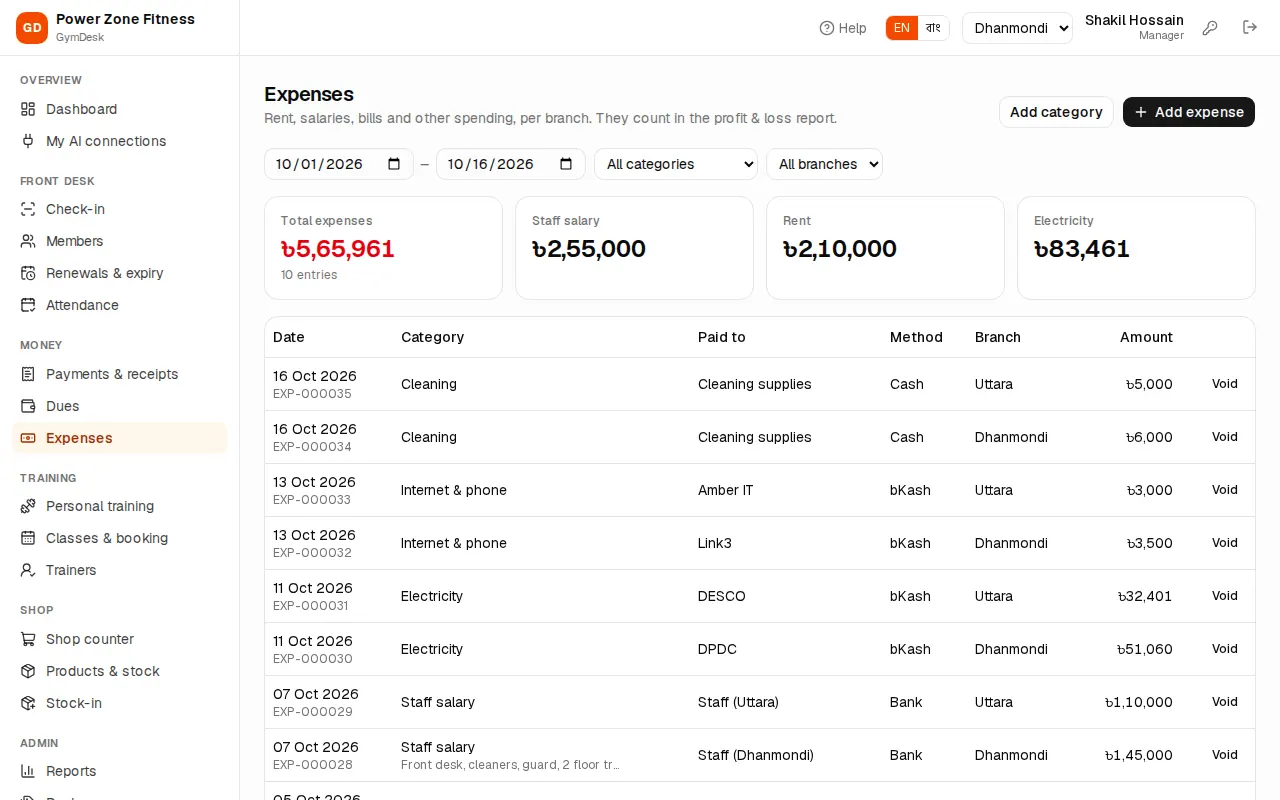
To record one:
- Check the branch in the header — the expense is saved for that branch.
- Press Add expense.
- Date, Amount (৳), Category (Rent, Staff salary, Trainer commission, Electricity …), Paid by (cash, bKash …), Paid to and Note.
- Save. "Expense saved."
Add category creates your own category (with a Bangla name). The list filters by date, category and branch and shows Total expenses. A wrong entry is removed with Void.
Trainer commission is worked out by GymDesk (see Personal training and trainers); when you pay it, record it here under Trainer commission so the profit & loss report is right.