Members & memberships
Memberships and renewals
Selling and renewing memberships, start dates and the grace period, freezing and unfreezing, upgrading with credit, cancelling, the Renewals & expiry page and renewal reminder SMS
Who it is for:OwnerManagerFront desk
On this page
A membership is one package sold to one member for one period, for example "Quarterly (3 months), 1 Oct – 31 Dec". A member can have many memberships over the years; the profile's Memberships card lists them all, newest first. Faded rows are finished, cancelled or upgraded.
Selling or renewing
Front desk, manager and owner can sell. You can renew from the member profile (Renew), from the check-in screen (Renew) or straight from the Renewals & expiry list.
- Press Renew (or Sell membership for a member without one).
- Pick the Package. The member's current package is chosen already.
- Start date — leave blank: "Blank = right after the current membership, or today." Type a date only for a special case (for example a member who wants to start next month); such a membership shows as Starts later until then.
- The admission fee is added only on a member's first membership; tick Waive the admission fee to skip it.
- Discount, Paid now (৳), Method and Transaction ID work as in Adding a member.
- Press Save. "Membership saved."
Where a renewal starts. If the member renews early, on time, or within the Grace days, the new period starts the day after the old end date — the member keeps their cycle and pays for the grace days they used. If they come back later than that, the new period starts today.
Example: Mitu's monthly membership ended on 10 October and the gym allows 5 grace days. She renews on 13 October → the new month runs 11 October – 10 November. Had she come on 20 October, it would run 20 October – 19 November.
Freezing a membership
A freeze puts a membership on hold (travel, illness, exams). The end date moves out by the frozen days. Only packages with Freeze days allowed can be frozen, and only as many times as Freezes allowed.
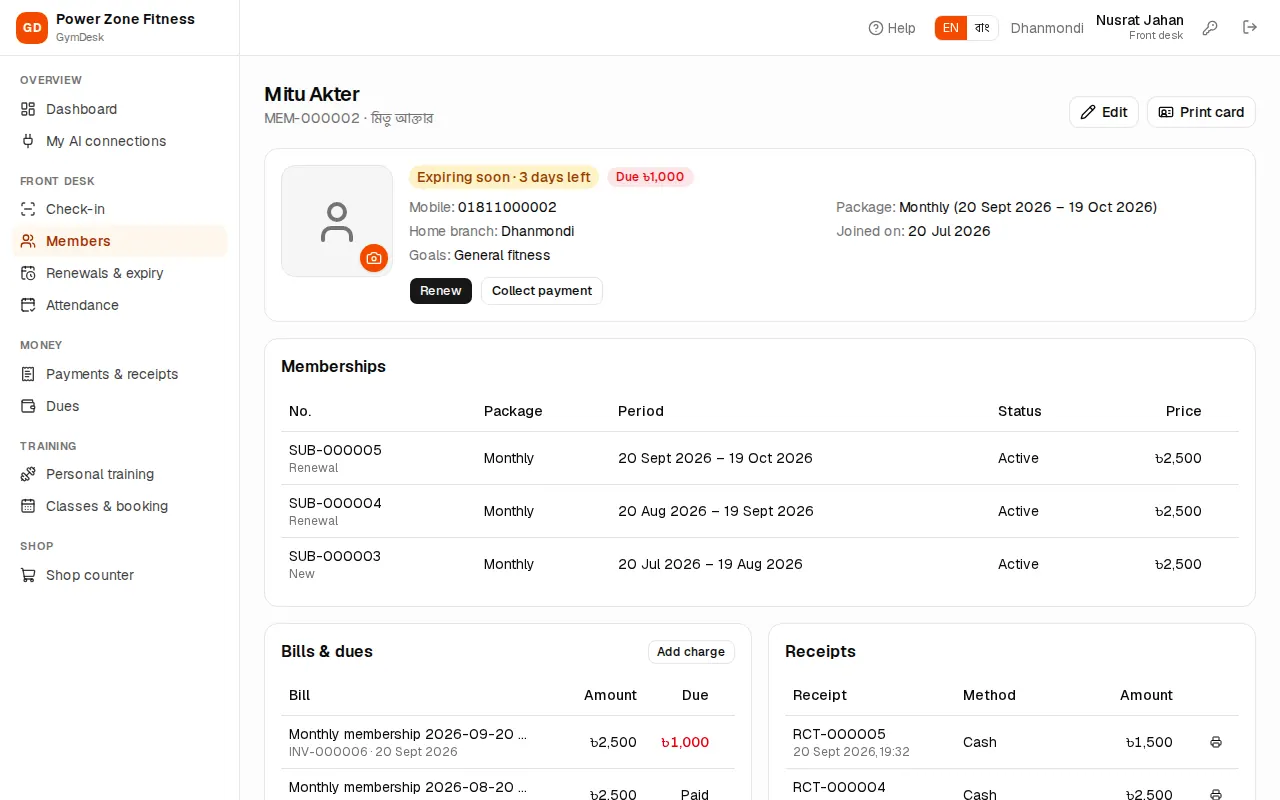
- On the profile's Memberships card press Freeze on the running membership. The dialog says how many freeze days and freezes are left.
- First frozen day (today or later) and Days.
- Reason (optional), then save. "Membership frozen."
During the freeze the member's state is Frozen and the check-in screen shows a blue FROZEN block. When the frozen days are over the membership becomes active again by itself.
Coming back early: press Unfreeze. "End the freeze today? Unused frozen days are given back." The end date moves back accordingly and the unused days can be used for a later freeze.
Upgrading
Manager and owner can move a member to another package now, for example from Monthly to Yearly halfway through the month.
- Press Upgrade on the running membership.
- Pick the New package. The dialog shows the unused value of the current membership (counted by days, in whole taka) and the new period.
- Discount and payment as usual, then Upgrade. "Membership upgraded."
The old membership is marked Upgraded; the new one starts today for the new package's full duration, and its bill is the new price less the credit.
Cancelling
Manager and owner only, for a membership sold by mistake or a member who leaves with a refund.
- Press Cancel on the membership.
- Type a Reason.
- Void its unpaid bill is ticked: whatever has not been paid is wiped from the dues. "Money already paid is refunded by hand, outside GymDesk." If you give money back, also void the receipt (see Voiding).
- Press Cancel membership.
Renewals & expiry
Open Renewals & expiry in the sidebar: "Members whose membership is ending or has ended and who have not renewed yet." Members who already renewed drop off the list.
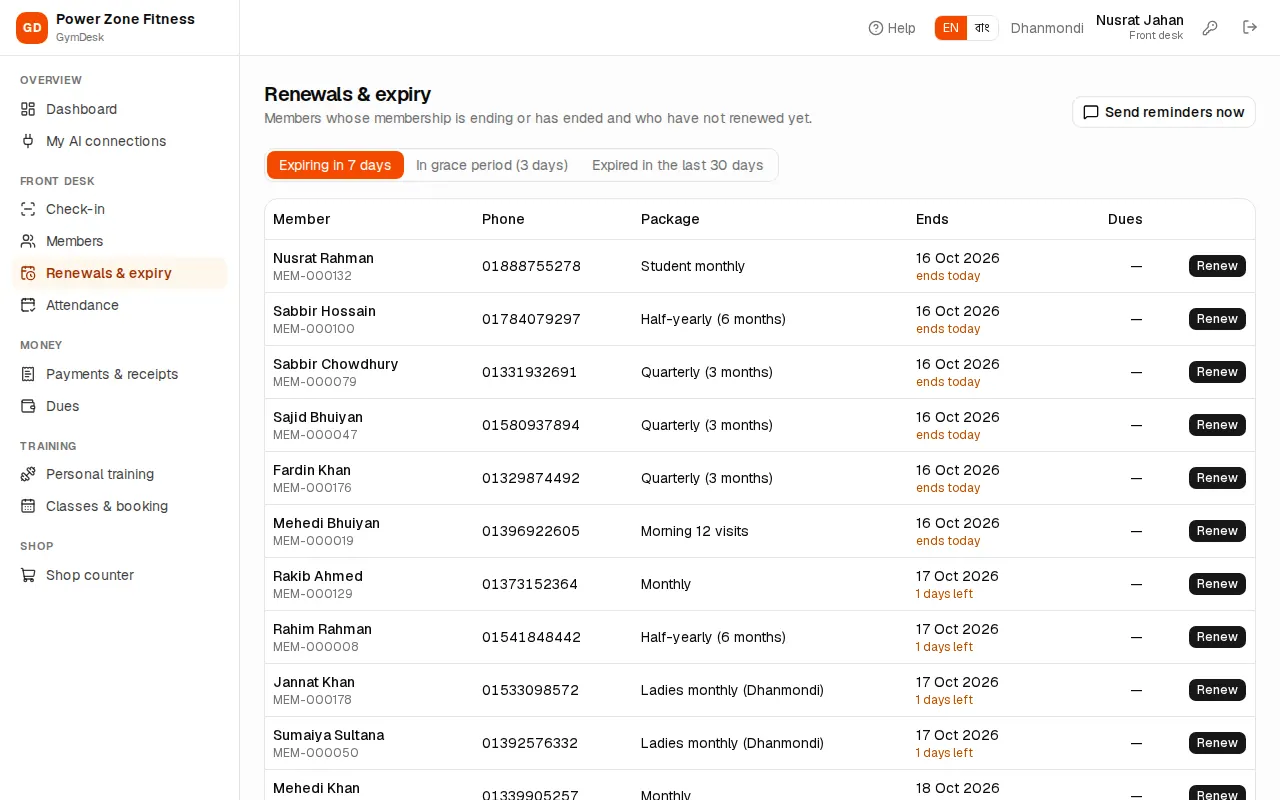
Three tabs:
- Expiring in N days (N = "Expiring soon" days from Settings).
- In grace period (N days).
- Expired in the last 30 days.
Each row shows phone (tap to call on a phone), package, end date with days left or days ago, dues, and a Renew button that opens the sell dialog right there. Use the branch drop-down to see one branch.
Renewal reminder SMS
With an SMS gateway and Renewal reminder turned on in Settings › Integrations, GymDesk sends each member a reminder SMS on its own:
- the chosen number of days before the end date, and
- the day after it ended, if they have not renewed.
Each reminder goes once per membership; members who renewed are skipped. To send today's reminders at once, press Send reminders now on the Renewals & expiry page and confirm. GymDesk reports how many were queued and how many were skipped (renewed, no phone or already sent today). Every message appears in SMS & WhatsApp (see SMS and WhatsApp).